Online Payment Problem: Why Does Payment Fail to Complete in Your Store, and How Do You Fix It?
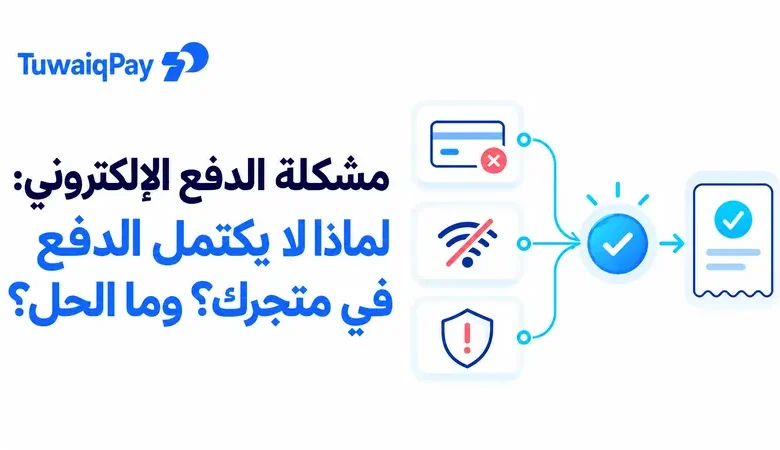
An online payment problem usually has one of three causes: a payment method the customer cannot find, a transaction the bank declines or that stalls at verification, or a faulty store connection that leaves the order pending even though the payment succeeded. The fix starts with locating where the payment stalls, then solving it with the right tools and a test environment before launch. Tuwaiq Pay, a Saudi digital payment platform, supports mada, Apple Pay, Visa, Mastercard and American Express, and offers a sandbox, webhooks and a backup payment link, with no setup fee and no monthly subscription. You can also visit the official Tuwaiq Pay website, contact the team on WhatsApp, or download the app from Google Play or the App Store.
Quick Summary
- Separate two cases: a customer who chose to leave, and a payment that failed despite the customer’s intent.
- Most common causes: a missing payment method, stalled verification, a slow checkout page, and a faulty integration.
- Fastest fix: test the store in a sandbox, and keep a backup payment link for customers who got stuck.
What Is an Online Payment Problem in a Store?
An online payment problem happens when a customer reaches the checkout page but the transaction does not complete. The customer either leaves without buying, or is charged while the order never confirms. For the merchant it means a lost sale, an anxious customer and a support team buried in questions. It helps to separate what belongs to customer experience from what belongs to technology: the first is improved through better design and clearer information, the second through testing and a correct integration. For the reasons behind abandoned carts, see reasons for cart abandonment (Arabic).
Why Does Payment Not Complete in Your Store?
The table summarizes the most common causes and the sign of each:
| Cause | Sign | First fix |
|---|---|---|
| Payment method not offered | Customer leaves at checkout | Accept mada, Apple Pay and cards |
| Bank decline or stalled verification | Decline message after entering details | Backup payment link and retry |
| Slow or non-mobile-friendly page | Process drops before payment | Test the page on a phone |
| Technical integration fault | Customer charged, order stays pending | Webhooks and pre-launch testing |
| International card not enabled | Repeated declines for foreign customers | Enable international cards on the account |
| Total differs from expectation | Customer leaves at the total | Show shipping and fees early |
How Do You Find Where the Online Payment Problem Sits?
Start with two questions: did the customer leave before pressing “Pay” or after? Leaving before points to experience, payment methods or price. Leaving after points to the bank or the integration. Then review three sources: payment reports in the app, the log of pending orders in your store, and customer complaints. If customers are charged repeatedly without an order confirmation, the likely culprit is a broken notification between the payment page and your system.
Which Fixes Should You Start With for an Online Payment Problem?
Order the fixes by what you can do today:
- Offer the methods customers expect: mada, Apple Pay, Visa, Mastercard and American Express.
- Test payment on a phone: many shoppers buy from their phones, so try the process yourself.
- Show the full cost early: shipping and VAT before the payment page, not after.
- Send a payment link to anyone who got stuck: instead of losing the customer, send a link for the same amount over WhatsApp.
- Watch notifications and reports: so you see pending transactions and follow them up the same day.
How Does Pre-Launch Testing Solve a Technical Online Payment Problem?
Most integration faults can be caught before launch if they are tested. Tuwaiq Pay offers a payment testing environment (Arabic) where you can try four cases: a successful payment, a failed payment, a refund, and an interruption mid-process. Webhooks also notify your system of each transaction’s result as it happens, so the order status updates automatically and never stays pending. For the technical side, see payment gateway API integration (Arabic).
How Does Tuwaiq Pay Help With an Online Payment Problem?
Tuwaiq Pay brings tools that address the causes above into one account:
- Multiple methods: mada, Apple Pay and cards, and cards issued outside the Kingdom are accepted for online payments if enabled on your account.
- Verification security: support for 3D Secure, tokenization and the PCI DSS standard.
- Backup payment link: you can create an electronic payment link (Arabic) and send it to anyone whose payment stalled, with no developer.
- Real-time reports and notifications: they show what succeeded and what stalled.
- Full or partial refunds: to correct mistaken transactions.
This does not mean transactions will never fail, since some declines come from the card-issuing bank, but it gives you tools to diagnose and recover them.
What Mistakes Do Merchants Make With an Online Payment Problem?
- Assuming every drop-off is the customer’s fault, and ignoring integration faults.
- Launching payment before testing it in a sandbox.
What Limits Should You Know About?
Tuwaiq Pay currently does not support the Marketplace model, meaning platforms that split a payment between several sellers. Tap to Pay, installment payments and Google Pay are also not available at present. If your customers rely on one of these, the lack of it may contribute to stalled payments, so ask the Tuwaiq Pay team before you register.
How Do You Start With Tuwaiq Pay?
Download the app and create your account, then prepare your commercial register or freelance document, national ID, national address and a bank letter. Once these are complete, the account is activated within 24 hours. Fees apply to successful transactions only, with no setup fee and no subscription. If you sell across several channels, read about the unified payment gateway (Arabic).
FAQ
What is the most common online payment problem?
A payment method the customer expects is missing, followed by stalled verification, then integration faults.
Why is the customer charged but the order not confirmed?
Usually because the payment result never reached the store’s system. A correct integration, webhooks and testing address it.
How do I fix an online payment problem without a developer?
Send a payment link to the customer who got stuck, review your available methods, and test checkout from a phone.
Can the amount be refunded if a customer is charged twice?
Yes, as a full or partial refund from the account.
How long does settlement take after a successful transaction?
Between one and five business days depending on the payment method actually used: about 48 hours for mada and about 24 hours for Visa and Mastercard.
Conclusion
Fixing an online payment problem starts with identifying where the payment stalls: before pressing “Pay” or after. Then offer the right methods, test the integration in a sandbox, and send a backup payment link to anyone who got stuck. Prices and details may change, so refer to the official source or the Tuwaiq Pay team. You can also visit the official Tuwaiq Pay website, contact the team on WhatsApp, or download the app from Google Play or the App Store.