Activate Online Payments in 24 Hours: Steps and Documents from Registration to First Transaction
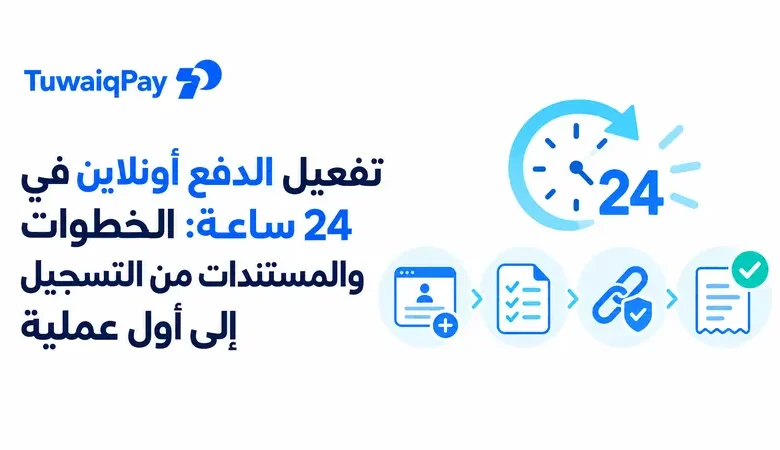
With Tuwaiq Pay, online payments are activated within 24 hours once the requirements are complete. The journey starts with downloading the app and uploading your documents, and ends with your first successful payment. Tuwaiq Pay is a Saudi digital payments platform suited to merchants and freelancers, with no setup fees and no monthly subscription. This article explains the documents and steps in order, what to do while you wait, and how to try your first transaction. You can also visit the official Tuwaiq Pay website, contact us on WhatsApp, or download the app from Google Play or the App Store.
Key Takeaways
- Timeframe: 24 hours for activation once requirements are complete; the overall time depends on how ready your documents are.
- Documents: a commercial registration or freelance certificate, a national ID, a national address and a bank certificate or letter.
- Steps: registration, documents, review, contract, activation, then your first transaction.
- Cost: no setup fees, no subscription and no hidden fees.
What Does Activating Online Payments Mean?
Activating online payments means moving from a registered account to an account that can receive real payments from your customers. By 24 hours, Tuwaiq Pay means the activation time after your documents are complete and reviewed, not the time from when you download the app. So the fastest route to activation is to have everything ready before you start.
Which Documents Do You Need to Activate Online Payments?
| Document | Note |
|---|---|
| Commercial registration or freelance certificate | The certificate is accepted for freelancers; a registration is not always required |
| National ID | For the business owner |
| National address | Registered and up to date |
| Bank certificate or letter | To transfer your funds to your account |
Requirements may vary by type of business, and freelance certificate holders, establishments and companies can all register according to the requirements for each type. For details on freelancers, see receiving payments as a freelancer in Saudi Arabia.
How Do You Prepare Your Documents to Avoid Delays?
Being ready in advance is the fastest route to activation. Just review these points before uploading:
- Clear images: photograph documents in good lighting, with all edges visible and no cropping or shadows.
- Matching names: make sure the name matches across your ID, certificate and bank letter.
- Valid documents: don’t upload expired or outdated documents.
- Correct national address: always update it before uploading.
- Bank account: make sure it is the account where you will receive your funds.
What Are the Steps to Activate Online Payments, from Registration to First Transaction?
- Download the app and create your account.
- Enter your business details: its name and type.
- Upload the required documents, clear and legible.
- Wait for your application to be reviewed.
- Sign the contract after approval.
- Activate your account: within 24 hours once requirements are complete.
- Make your first payment and monitor it in the dashboard.
What Does the Timeline Look Like from Registration to First Transaction?
| Stage | What happens | What you need to do |
|---|---|---|
| Registration | Create the account and enter business details | Fill in the details accurately |
| Documents | Upload the required papers | Clear photos and matching names |
| Review | The team reviews the application | Wait and get ready to sell |
| Contract | Signing after approval | Read the terms before signing |
| Activation | Within 24 hours once requirements are complete | Make sure the account is ready |
| First transaction | A test or real payment | Follow the notification and the dashboard |
What Should You Do While Waiting for the Review?
Don’t waste the waiting time. Prepare what you need so your account is ready the moment it is activated: decide on your sales channel (store, chats or bookings), write down your final prices, prepare your refund policy, and think about the invoice message you will send your first customer. If you have an online store, ask your developer to look at the sandbox so the integration is ready before activation.
How Do You Make Your First Online Payment?
The path depends on how you sell:
| How you sell | First transaction |
|---|---|
| WhatsApp or Instagram chats | Create an invoice with a payment link and send it |
| In-person services or bookings | Create an invoice with a linked QR code |
| A custom-built online store | Integrate through the API, test in the sandbox, then go live |
The article on creating a payment link explains the link steps, and the article on the sandbox covers testing the integration. We recommend making the first payment yourself with a small amount before sending the link to a real customer.
What Can Delay Online Payment Activation?
- A missing or unclear document: the application stops until it is complete.
- Mismatched details: such as a different name or details across documents.
- Waiting to sign the contract: activation can’t be completed before it.
- Putting it off: registering late delays the launch of your whole project.
Which Payment Methods Can You Accept Online After Activation?
After activation, Tuwaiq Pay accepts mada, Visa, Mastercard, Apple Pay and American Express, plus international cards provided they are enabled for online payments. You also get a real-time reporting dashboard, instant notifications for every transaction, sub-accounts for employees and branches, and full or partial refunds, as explained in the article on refunding payments.
When Does Online Payment Money Reach Your Account?
In one to five days depending on the card network and the transaction: about 48 hours for mada, and about 24 hours for Visa and Mastercard. Funds are then transferred automatically to your registered bank account.
Do the Activation Steps Differ Between Freelancers and Companies?
The steps are basically the same: registration, documents, review, contract and activation. The difference is in the documents for each type of business: a freelancer submits a freelance certificate, while establishments and companies submit the documents required for their type. If you are not sure what applies to you, ask the Tuwaiq Pay team before uploading to save yourself another attempt.
Why Start Collecting Payments with Tuwaiq Pay?
Because it combines simplicity and clarity: registration from the app, activation within 24 hours once requirements are complete, published fees with no setup or subscription, and tools that grow with you, from a single payment link to a connected store and sub-accounts for your team, plus a reporting dashboard and instant notifications that give you a clear view of every transaction, and a team you can reach on WhatsApp when needed.
How Much Do Online Payments Cost with Tuwaiq Pay?
There are no setup fees, no monthly subscription and no hidden fees, and fees are charged on successful transactions plus VAT. The published domestic fees, before VAT, are 1% + SAR 1 for payment links and 1.2% + SAR 1 for online stores. Prices may change, so check the official website. If you are ready, download the Tuwaiq Pay app and register today.
Frequently Asked Questions
How long does it take to activate online payments?
The account is activated within 24 hours once requirements are complete; the overall time depends on how quickly your documents are prepared and reviewed.
What should I do if activation is delayed?
First check that your documents are complete, clear and consistent, then contact the Tuwaiq Pay team on WhatsApp to find out what is missing.
Can I register from my phone?
Yes. Registration is done through the Tuwaiq Pay app: create your account, enter your business details, then upload your documents.
Do I need a commercial registration?
Not always. Tuwaiq Pay accepts a freelance certificate for freelancers.
Do I need an online store?
No, and that won’t stop you selling from day one: you can collect payments with payment links and QR codes, with no store and no developer.
Do I need a developer?
Not for payment links and QR codes. Connecting a custom-built store through the API requires technical work.
Are there fees to cancel the account?
There are no account cancellation fees, once any outstanding amounts or obligations are settled before closing.
Conclusion
Activating online payments with Tuwaiq Pay is a short journey: complete documents, review, contract, then activation within 24 hours and your first transaction. Prepare your papers in advance, use the waiting time to set your prices and policy, and try your first transaction yourself. To get started, you can also visit the official Tuwaiq Pay website, contact us on WhatsApp, or download the app from Google Play or the App Store.



