Payment Gateway Integration for Online Stores: 5 Ways to Choose the Right Method
دليل عملي لاختيار طريقة الدفع الأنسب لنشاطك وتحسين تجربة الشراء لعملائك.
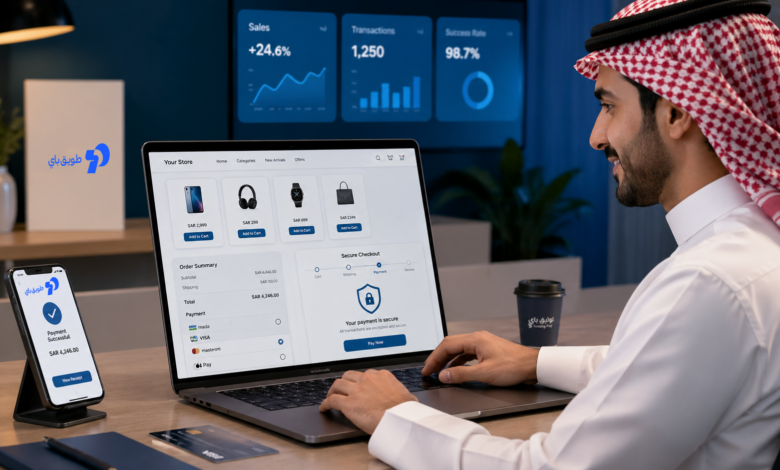
Integrating a payment gateway with your online store is no longer just a technical step; it has become a core part of any store’s success in improving the shopping experience and increasing order completion. When a customer reaches checkout, they have usually already decided to buy, so any complexity at this stage can make them leave the store before completing the order.
Choosing the right payment method helps merchants reduce reliance on manual transfers, organize collection and offer customers a clearer experience. That is why every store owner should know the difference between ready-made plugins, payment links, APIs, e-invoices and direct payment solutions.
In this article, we explain what integrating a payment gateway with an online store means, the main methods available, and how to choose the best solution for your business, along with the key mistakes to avoid before activating online payments.
Contents
- Why is integrating a payment gateway with your online store important?
- What does integrating a payment gateway with an online store mean?
- Ways to integrate a payment gateway with an online store
- Comparing payment gateway integration methods
- How to choose the right integration method for your business
- Common mistakes when integrating a payment gateway
- Tips before integrating a payment gateway
- How does Tuwaiq Pay help merchants integrate payments easily?
- Conclusion
Why Is Integrating a Payment Gateway with Your Online Store Important?
Integrating a payment gateway with your online store is an important step for any merchant who wants to improve the shopping experience, because customers can pay easily inside the store without manual transfers or extra steps that delay completing the order.
When the payment experience is clear and easy, customers trust the store more and the decision to complete the order becomes easier. But if payment is complicated or unclear, the customer may hesitate or leave the checkout page before completing the purchase.
The importance of integrating a payment gateway shows in several points:
- Making payment easier for the customer.
- Reducing checkout abandonment.
- Supporting multiple payment methods suited to the Saudi market.
- Organizing collection instead of manual follow-up.
- Improving the mobile shopping experience.
- Making it easier to track orders and payments.
- Building customer trust in the store.
- Reducing the time needed to confirm payment.
So integrating a payment gateway with your online store doesn’t only serve the financial side; it also improves the customer journey from choosing the product to completing the order.
What Does Integrating a Payment Gateway with an Online Store Mean?
Integrating a payment gateway with an online store means enabling customers to pay directly inside the store using various electronic payment methods, instead of relying on manual bank transfers or sending proof of payment through messages.
Once the payment gateway is activated, the customer can choose a product, add it to the cart, then move to a clear, secure payment page to complete the transaction. After payment, the transaction is recorded in an organized way that helps the merchant track orders and payments.
Put simply, payment integration turns the purchase from scattered steps into one integrated experience inside the store. This helps reduce errors, speed up collection and offer customers a more professional experience.
The clearer and easier the payment gateway integration, the more likely the customer is to complete the purchase without hesitation.
Ways to Integrate a Payment Gateway with an Online Store
The ways to integrate a payment gateway with an online store vary depending on the nature of the business, transaction volume, how you sell, and whether the merchant uses a ready-made store, a custom platform or direct payment links.
There is no single method that suits every business. A store built on WooCommerce or Shopify may need a ready-made plugin, while a custom app or large platform may need API integration. For a merchant who sells via WhatsApp or Instagram, payment links may be the fastest and simplest solution.
Before choosing an integration method, the merchant should understand the difference between ready-made plugins, payment links, APIs and e-invoices.
Comparing Payment Gateway Integration Methods
| Integration method | Best for | Main advantage | Needs coding? |
|---|---|---|---|
| Ready-made store plugins | WooCommerce, Shopify and ready-made platforms | Fast integration and easier activation | Usually no |
| Payment links | Merchants selling via WhatsApp or Instagram | Fast collection without a full store | No |
| APIs | Apps, large stores and custom platforms | More flexibility and control over the payment experience | Yes |
| E-invoices | Service providers, subscriptions and formal orders | Better organization of collection and follow-up | Usually no |
| Contactless payment (SoftPOS) | Direct or mobile sales | Accept payments on a phone without an extra device | Depends on the provider |
This table gives merchants the overall picture, but it doesn’t replace choosing a solution based on the nature of the business and how it actually sells.
Integration via Ready-Made Store Plugins
If your store is built on a platform such as WooCommerce or Shopify, integration through ready-made plugins may be one of the most suitable options.
In this case, the payment gateway is activated through a plugin or dedicated settings inside the store platform. This type of integration helps merchants start receiving payments faster, without building a payment system from scratch.
This option suits:
- Small and medium-sized stores.
- Stores that use ready-made platforms.
- Merchants who want a fast solution.
- Businesses that don’t need a fully customized payment experience.
You can refer to the Shopify Help Center to understand third-party payment providers in online stores.
You can also refer to the WooCommerce documentation to understand how payment plugins work in stores.
Payment Links for Quick Orders
Not every business needs a full online store from the start. Some merchants sell via WhatsApp, Instagram, exhibitions or custom orders.
In this case, payment links are a practical, easy solution. The merchant can create a payment link and send it to the customer, who then completes payment through the link without long steps or manual transfers.
Payment links suit:
- Small stores.
- Freelancers.
- Service providers.
- Deposit requests.
- Custom orders.
- Selling via WhatsApp or social media.
- Merchants who want fast collection without a full store.
The advantage of payment links is that they make collection clearer, reduce reliance on transfer proofs, and provide a more organized experience for both customer and merchant.
API Integration for Large Stores and Apps
If you have a custom app or a custom e-commerce platform, you may need to integrate the payment gateway via API.
This option gives you more flexibility in designing the payment experience and linking transactions to internal systems such as order management, customer accounts, reports, invoicing or subscription systems.
But this type of integration usually requires a technical team or a developer experienced in software integrations.
API integration suits:
- Apps.
- Large platforms.
- Stores with high transaction volumes.
- Companies that need a customized payment experience.
- Systems that need payments linked to internal operations.
So if your business is at an advanced stage or relies on a custom system, an API may be the best long-term option.
E-Invoices to Organize Collection
E-invoices suit businesses that need to send customers a clear payment request, especially for services, subscriptions or formal orders.
Instead of just sending an amount in a message, you can send an e-invoice that includes the details of the service or order, the amount and the payment method. This makes collection more organized and clear.
E-invoices help to:
- Organize collection.
- Document orders.
- Reduce errors.
- Make follow-up with customers easier.
- Improve the business’s image with customers.
- Make payment clearer and more professional.
This solution especially suits service providers, small companies, subscription businesses and any business that needs clear documentation for every payment.
Contactless Payment (SoftPOS)
Some businesses don’t rely only on selling through an online store; they also sell directly at exhibitions, events, during delivery or at mobile points of sale.
In this case, contactless payment on a phone can be a practical solution, because it helps merchants accept payments without an extra device in some cases, depending on the service available.
This solution suits:
- Mobile sellers.
- Exhibitions and events.
- Small restaurants and cafés.
- Field service providers.
- Businesses that need fast collection at the customer’s location.
Having a range of payment solutions helps merchants choose the right method for each situation, whether selling inside the online store or outside it.
How to Choose the Right Integration Method for Your Business
Choosing how to integrate a payment gateway with your online store should start from the nature of your business, not just the technical side.
If you have a ready-made store on WooCommerce or Shopify, integration via a plugin may be the fastest option.
If you sell via WhatsApp or Instagram, payment links may be better for you at first.
If you have an app or a custom platform, you will most likely need an API.
If you offer services or subscriptions, e-invoices may be a suitable option.
And if your business relies on direct or mobile sales, contactless payment on a phone may be a practical way to reduce the need for extra devices.
What matters is choosing a payment method that suits how you sell today and can scale as your business grows.
Comparison by Business Type
| Business type | Best payment method | Reason |
|---|---|---|
| Ready-made online store | Payment plugin or direct integration | An integrated shopping experience inside the store |
| Store selling via WhatsApp | Payment links | Easy to send the link and complete payment |
| Freelancer or service provider | Payment links or e-invoices | Organized collection and a clear amount |
| Custom app or platform | API | Full flexibility in the payment experience |
| Direct sales business | SoftPOS or contactless payment | Faster collection without an extra device |
| Subscriptions or recurring services | E-invoices | Clearer tracking of payments |
This table helps you choose a starting point, but it is always best to review the nature of your business and expected transaction volume before activating any payment solution.
Common Mistakes When Integrating a Payment Gateway with an Online Store
Avoiding these mistakes helps make the payment experience clearer and easier, and reduces the chance of customers leaving the checkout page before completing the order.
Choosing payment methods that don’t suit your customers
The payment gateway should support payment methods that customers know and trust, especially in the local market. If customers can’t find a suitable payment method, they may not complete the order.
Ignoring the mobile experience
A large number of customers browse and buy on their phones. The payment page must therefore be clear and easy to use on small screens.
Not testing payment before launch
It is a mistake to launch a store without testing a complete payment from start to finish. Test the customer journey from choosing the product to completing payment.
Not explaining the payment steps to customers
The clearer the payment steps, the more confident customers are in completing the order. Ambiguity on the payment page can cause hesitation or exits.
Relying only on manual transfers
Manual transfers can cause confirmation delays, extra follow-up and a less professional customer experience.
Not tracking settlements and reports
Merchants need to know how to track their financial transactions, when settlement happens, and how to review payments linked to orders.
Tips Before Integrating a Payment Gateway with Your Online Store
Before activating a payment gateway or choosing an integration method, review some basic points that help you make a better decision.
- Make sure the payment gateway supports the right payment methods for your customers.
- Test the payment experience on a phone.
- Make sure the payment page is clear.
- Review the settlement and transfer process.
- Make sure reports are available to help you track transactions.
- Choose an integration method that suits your current business size.
- Make sure the payment method can scale in the future.
- Don’t make the payment experience longer than necessary.
- Test the customer journey from choosing the product to completing payment.
These tips help you integrate a payment gateway with your online store in a more organized way and reduce the chance of problems after launch.
Payment Integration and the Growth of E-Commerce in Saudi Arabia
As e-commerce grows in Saudi Arabia, the payment experience has become a core part of store success. Today’s customers expect an easy shopping experience, clear payment options, and a secure, organized payment page.
You can learn about payment systems and services in the Kingdom on the Saudi Central Bank (SAMA) website.
The mada network also explains its role in supporting electronic payments in the Kingdom.
That is why integrating a payment gateway with your online store doesn’t just help you receive payments; it also supports a more professional shopping experience in line with customer expectations in the Saudi market.
Does Integrating a Payment Gateway Improve Store Sales?
Integrating a payment gateway alone doesn’t guarantee more sales, but it removes an important obstacle from the customer journey.
When the payment experience is easy and clear, customers are less likely to hesitate at the last step. This helps the store make better use of its traffic and marketing campaigns.
In other words, if you spend on marketing and bring visitors to your store, it’s important not to lose them at checkout because of unclear steps or limited payment options.
An easy payment experience helps reduce checkout abandonment, especially when the steps are clear and the payment options suit the customer.
How Does Tuwaiq Pay Help Merchants Integrate Payments Easily?
Tuwaiq Pay provides flexible electronic payment solutions that suit the needs of merchants and different businesses in Saudi Arabia.
Whether you own an online store, sell via WhatsApp, offer services, or need payment links, invoices or contactless payment solutions, Tuwaiq Pay helps you choose the most suitable collection method for your business.
The goal isn’t just activating payment, but building a clearer, easier payment experience that helps customers complete their orders and helps merchants manage collection with more confidence.
With Tuwaiq Pay, merchants can rely on solutions that suit more than one business model, whether the business is an online store, a freelance service, direct sales or custom orders.
You can learn more about Tuwaiq Pay’s solutions on the official website.
Conclusion
Integrating a payment gateway with your online store isn’t just a technical step; it is a decision that directly affects the customer experience and their trust in the store.
Choosing the right method depends on the nature of your business: Do you have a ready-made store? Do you sell via WhatsApp? Do you have a custom app? Do you need payment links or e-invoices? Do you rely on direct sales?
The clearer and easier the payment method, the more orders get completed, the better the customer experience, and the more organized collection becomes.
In the end, integrating a payment gateway with your online store helps you offer a more professional payment experience and gives your customers more confidence when completing their orders.
With Tuwaiq Pay, you can choose the most suitable payment solution for your business, whether through store integration, payment links, invoices or payment solutions for direct sales.
Start now with an easier, clearer payment experience with Tuwaiq Pay.



