Electronic Payment Tools by Business Size: From Enterprises to Small Projects
Electronic payment tools are the means you use to request money from your customer, receive it, track it and refund it when needed, from invoices and payment links to technical integrations, reports and sub-accounts. What you need depends on the size of your business: companies and institutions need permissions, reports and integration with their systems; online stores need payments tied to orders; and small projects can get by with an invoice and a link. Tuwaiq Pay, a Saudi digital payments platform, offers these tools in one account, with no setup fees and no monthly subscription. You can also visit the official Tuwaiq Pay website, contact us on WhatsApp, or download the app from Google Play or the App Store.
Key Takeaways
- Companies and institutions: permissions, reports and technical integration matter most.
- Online stores: linking payment to the order and testing it before launch matter most.
- Small and medium businesses: QR codes and invoices, with reports that separate branches, matter most.
- Small projects: start with an invoice and a payment link, with no store and no developer.
What Are Electronic Payment Tools?
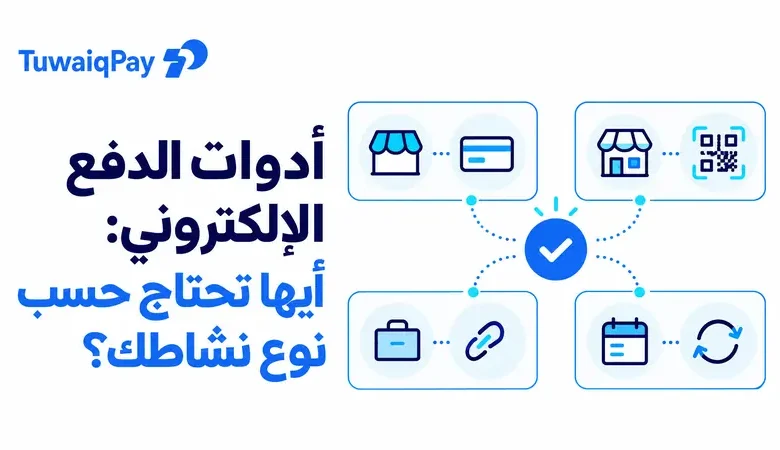
They are what a business uses to manage collections, while electronic payment methods in Saudi Arabia are what the customer pays with: mada, Apple Pay and cards. Electronic payment tools fall into three groups: request tools such as invoices, links and QR codes; integration tools such as the payment page and the API; and management tools such as notifications, reports, refunds and sub-accounts.
Which Electronic Payment Tools Suit Each Business Size?
Read the table from top to bottom: the further down you go, the simpler things get; the further up, the greater the need for control and oversight.
| Business size | Key tools | The deciding question |
|---|---|---|
| Companies and institutions | Sub-accounts, reports, API and permissions | Who sees what, and who can issue refunds? |
| Online stores | API, sandbox and webhooks | Is the order status updated automatically after payment? |
| Small and medium businesses | QR codes, invoices and branch reports | How are branch sales consolidated? |
| Small projects and freelancers | Invoices and payment links | How many steps does the customer need? |
Which Electronic Payment Tools Do Companies and Institutions Need?
An institution starts with management, not with the request. It has branches, employees and sales reps, and each party should see only what concerns them. That is what sub-accounts with separate permissions provide. It also needs real-time notifications and reports so the finance team can follow every transaction, full or partial refunds limited to specific roles, and settlements to more than one bank account.
If your internal systems need to know the payment result, ask about API and webhook integration and about a test environment, and check for 3D Secure, tokenization and PCI DSS compliance. Large companies also need technical support that responds during activation, so ask about that in advance. And note one stated limit: the marketplace model is not currently supported by Tuwaiq Pay, so ask your provider about it before signing up.
This group includes any entity that collects money from more than one point: multi-branch companies, travel and tourism agencies, associations and training centers. They all share one question: who collects, who follows up, and who decides on refunds? These are the finance team’s questions and what answers them:
| Question | What answers it |
|---|---|
| How much did each branch collect today? | Real-time reports and sub-accounts |
| Who is allowed to issue a refund? | Separate permissions for each user |
| Where are funds transferred? | Settlements to one or more bank accounts |
| How does our system know a payment went through? | Webhooks and API |
How Do Online Stores Choose Their Tools?
A store needs payment tied to the order: the customer pays, and the order status and inventory update with no manual work.
| Tool | Its role in the store |
|---|---|
| API integration | Connects the payment page to the store’s cart |
| Sandbox | Lets you test successful payments, failures and refunds before launch |
| Webhooks | Notify your system of the payment result instantly |
| Payment link | Serves orders that come in through WhatsApp and phone calls |
Test four scenarios in the sandbox before launch: a successful payment, a failed payment, a refund, and a connection drop mid-transaction. Then try paying from your phone to make sure the payment methods appear before checkout and the confirmation arrives instantly. You will find the steps in adding a payment gateway to your website, payment gateway API integration and payments sandbox.
Which Electronic Payment Tools Suit Small and Medium Businesses?
A business that receives customers in a shop, clinic or restaurant needs fast tools at the counter: a QR code linked to the invoice that the customer scans with no separate device, an invoice before the appointment for booked services, and a partial refund on cancellation. If it has more than one branch, it needs sub-accounts and reports that separate each branch’s sales. Details are in payment collection solutions for small businesses and QR code payments.
Which Electronic Payment Tools Suit Small Projects and Freelancers?
Here the need comes down to its simplest form: an invoice created in the app and sent as a link by WhatsApp, text message or email, with no store and no developer. That is enough for a small project owner, a freelancer or a home-based business to get started, and you can register with a freelance certificate. It suits trainers, designers and home service providers who receive orders in chats. For details, see creating a payment link and a payment gateway without a commercial registration.
What Do the Tools Look Like at Three Sizes?
Hypothetical examples for illustration, not customer cases:
- A company with branches: gives each branch a sub-account, the finance team sees a unified report, and refund permission is limited to branch managers.
- A clothing store: integrates payments through the API after testing, and keeps a payment link for customers who order on WhatsApp.
- A freelance designer: sends an invoice link to each client from her phone, with no store and no developer.
How Do Your Tools Grow with Your Business?
| Stage | What you add |
|---|---|
| Small project | Invoices and payment links |
| Collecting in a shop or clinic | QR codes and reports |
| Many orders through a website | API integration and sandbox |
| Branches or employees | Sub-accounts and permissions |
| Institution with internal systems | Webhooks, financial reports and settlements |
All of these are added from the same account, so you never start from scratch at each stage. And don’t wait until your operations stall: when manual collection takes more time than it is worth, that is a sign you need the next tool.
What Are the Common Mistakes When Choosing Tools by Business Size?
- An institution relying on manual payment links with no permissions or reports.
- A store launching payments before testing them in a sandbox.
- A small project starting with a complex technical integration it does not need yet.
- A business with branches lumping all its sales into one report.
- Ignoring reports until amounts pile up without follow-up.
- Buying a tool the team doesn’t know how to use or doesn’t need.
How Do You Get Started with Electronic Payment Tools on Tuwaiq Pay?
Download the app and create your account. Once the requirements are complete, the account is activated within 24 hours. Then start with the tool that fits your size, and add others later from the same account as needed. Fees are charged only on successful transactions and vary by network and payment method, so check the current pricing on the official website. If you want to compare platforms against clear criteria, read the best online payment platform. If you need help choosing the right tool for your size, contact the Tuwaiq Pay team on WhatsApp.
Frequently Asked Questions
Which electronic payment tools does a company with branches need?
Sub-accounts with separate permissions, real-time reports, and refunds limited to specific roles.
Does an online store need an API?
Yes, if it wants payments tied to orders inside the store. Phone orders can be served with a payment link.
Does a small project need a commercial registration?
Not always. Tuwaiq Pay also accepts a freelance certificate, depending on the type of business.
Does Tuwaiq Pay support the marketplace model?
Not currently.
What is the difference between a small business and a small project when it comes to tools?
A small business has a shop or a team, so it needs QR codes and reports. A small project usually runs from the owner’s phone, so an invoice and a link are enough.
Can I use more than one tool together?
Yes. Many businesses combine a payment link for chats and a QR code for the shop in one account.
Conclusion
Choosing electronic payment tools starts with the size of your business: management and permissions for companies and institutions, integration and testing for online stores, and speed and simplicity for small businesses and projects. Start with what covers most of your collections, then expand, so you never pay for a tool bigger than you need or get held back by one that is too small. Prices and details may change, so refer to the official source or the Tuwaiq Pay team. You can also visit the official Tuwaiq Pay website, contact us on WhatsApp, or download the app from Google Play or the App Store.