Collecting Invoices Electronically: 5 Steps to Receive Your Payments Faster
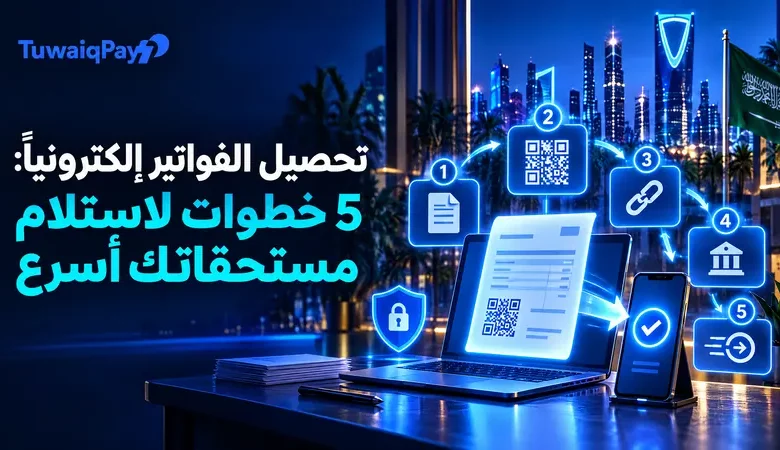
Collecting invoices electronically means sending your customer an invoice with a payment link or QR code, so they pay it themselves from their phone within minutes, and your money arrives with no manual transfers and no exhausting follow-up. If you run a new store, work as a freelancer, or own a restaurant or small hotel, you will find a practical method here that cuts days of waiting, and see how Tuwaiq Pay helps you do it. If you prefer to start right away, you can also visit the official Tuwaiq Pay website, contact us on WhatsApp, or download the app from Google Play or the App Store.
Why Are Your Payments Delayed?
Collections are usually delayed for simple reasons that have nothing to do with the customer: an unclear invoice, a single payment method that doesn’t suit them, an account number sent in a message and then lost, or a transfer that needs manual reconciliation. Every extra step between the invoice arriving and payment gives the customer a chance to put it off. That is why collecting invoices electronically starts by shortening this path: one invoice, one link, and payment with a single tap.
What Does Collecting Invoices Electronically Mean?
It means issuing the invoice, sending it and receiving its value through digital channels instead of cash and manual transfers. With Tuwaiq Pay, you create the invoice in the app, send its link by WhatsApp, text message or email, and the customer pays with their preferred method. After a successful transaction, settlement takes place and your net funds are transferred to your registered bank account. This approach needs no online store and no developer. To learn more about the tool itself, read electronic payment links: the fastest way to collect payments.
Traditional or Electronic Collection?
| Aspect | Manual transfer or cash | Payment by link or QR code |
|---|---|---|
| Time of payment | Delayed until the customer remembers | Within minutes of receiving the link |
| Reconciliation | Searching for the transfer in messages and statements | A transaction recorded automatically with amount and time |
| Payment methods | Usually a single method | Several methods and cards |
| Follow-up | Repeated calls and messages | An instant notification for every transaction |
The result is that collecting invoices electronically doesn’t just speed up payment; it also saves the time you would otherwise spend on reconciliation and follow-up.
What Are the Ways to Collect Invoices Electronically?
The following table summarizes the available methods and when each one suits you:
| Method | How it works | Who it suits |
|---|---|---|
| Payment link | You create an invoice in the app and send the link to the customer | Freelancers, service providers and selling on WhatsApp |
| QR code linked to the invoice | The customer scans it and completes payment | Printed invoices, restaurants and exhibitions |
| API integration | Payment appears inside your website or store | Online stores and website owners |
Our article on creating a payment link details the steps for the first method, and the guide to payment links and QR codes in 5 different sectors explains how different sectors use links and codes. For those who want payment inside their website, the guide to adding a payment gateway to your website explains the requirements and steps.
What Does an Invoice That Gets Paid Quickly Contain?
A good invoice answers your customer’s questions before they ask them: what exactly is the service or product? What is the total amount after VAT? What is the due date? How do they pay? If any of these is missing, the customer comes back to you with a question and payment is delayed by a day or more. Write your business name and a short description the customer will recognize immediately, so they don’t hesitate when they see an unfamiliar name on the payment page. If you have monthly clients, keep a fixed template for your invoices; it saves time and gives a professional impression.
Five Steps to Receive Your Payments Faster
- Make the invoice clear: state the service, amount, VAT and due date, because a vague invoice always gets postponed.
- Send it on the channel where your customer replies: most customers in Saudi Arabia reply faster on WhatsApp than by email.
- Offer more than one payment method: Apple Pay, mada, Mastercard, Visa and American Express; every additional method reduces reasons to delay.
- Send the invoice as soon as the service is done: customers pay easily while the positive impression is still fresh.
- Track payment from the dashboard: instead of calling and asking, let instant notifications tell you about every transaction.
These steps are the essence of collecting invoices electronically: less effort for you, and less friction for your customer.
Collecting Invoices Electronically by Type of Business
The practical application varies from one business to another, as these examples show:
| Your business | How you use it |
|---|---|
| Freelancer offering services | Send the payment link after agreeing terms, and start work when the notification arrives |
| New store | Use a payment link for WhatsApp orders, and connect the website later |
| Restaurant or café | Print a QR code on the bill so guests pay from their table |
| Small hotel or rental units | Send a payment link for the confirmed booking before the guest arrives |
| Service business with branches | Open sub-accounts for each branch or employee with separate permissions |
If you are a freelancer without a commercial registration, see the guide to a payment gateway without a commercial registration; a freelance certificate is enough to register, according to the requirements for your type of business. For businesses with branches or collection staff, the guide to sub-accounts for companies explains how to manage payments from one account.
When Does the Money Arrive After the Customer Pays?
Settlement takes between one and five days depending on the card network and the transaction. mada transactions usually arrive within about 48 hours, and Visa and Mastercard transactions within about 24 hours. The amount is then transferred automatically to your bank account without you having to request it. It is important to factor this time into your cash flow planning and to request payment well before your own obligations are due. This helps you set a realistic payment schedule for your suppliers and employees, and avoid sudden cash flow pressure.
How Do You Track Your Invoices and Handle Problems?
The dashboard provides real-time reports and a record of every transaction, so you know what is paid and what is pending without manual spreadsheets. If you need to refund a customer, full or partial refunds are available depending on the transaction. This makes collecting invoices electronically cleaner from an accounting perspective, since every transaction is recorded with its time and amount.
Is Paying by Link Safe?
Yes. The customer enters their card details on a secure payment page; card data doesn’t pass through messages and never reaches you. Tuwaiq Pay complies with PCI DSS standards and supports 3D Secure in its technical integration solutions. Still, watch out for fraudulent messages: send links only from your own account, and never ask your customer to share their card number or verification code by any other means.
Common Invoice Collection Mistakes
- Sending an account number instead of a payment link, then waiting for the transfer to arrive and matching it manually.
- Overlooking VAT when writing the amount.
- Relying on a single payment method.
- Not setting a clear due date on the invoice.
- Forgetting to follow up on unpaid invoices and leaving it to memory.
- Asking for customers’ card details by message, which is unsafe and unnecessary when using a payment link.
Why Tuwaiq Pay for Collecting Invoices?
Because it brings the essential tools together in one app, with no fixed costs weighing on a new business:
- Invoices, payment links and QR codes linked to the invoice.
- Multiple payment methods: Apple Pay, mada, Mastercard, Visa and American Express.
- Account activation within 24 hours once requirements are complete; see the benefits in the guide to fast activation for merchants and freelancers.
- No setup fees, no monthly subscription and no hidden fees.
- Instant notifications for every transaction and a dashboard with real-time reports.
- Sub-accounts for branches, employees and sales reps.
- PCI DSS compliance and automatic transfer to your bank account.
Fees are charged on successful transactions, plus VAT, and you will find current prices on the official website.
How Do You Get Started with Tuwaiq Pay?
- Download the Tuwaiq Pay app and create your account.
- Enter your business details.
- Upload your documents: a commercial registration or freelance certificate, a national ID, a national address and a bank certificate or letter.
- Wait for your application to be reviewed, then sign the contract.
- Activate your account and create your first invoice.
Frequently Asked Questions
What is the fastest way to collect invoices electronically?
A payment link sent on WhatsApp is usually fastest, because the customer pays from their phone with no transfer and no account details.
Do I need an online store?
No. You can collect payments with payment links and QR codes, with no store and no developer. API integration suits those who want payment inside their website.
Can I register with a freelance certificate?
Yes. Freelance certificate holders, establishments and companies can all register according to the requirements for each type of business.
How long does settlement take?
One to five days depending on the network; mada transactions usually arrive within about 48 hours, and Visa and Mastercard within about 24 hours.
Can I refund an amount paid by invoice?
Yes, full or partial refunds are available depending on the transaction.
Is collecting invoices electronically suitable for restaurants and hotels?
Yes. A restaurant prints a QR code on the bill, and a small hotel or rental unit sends a payment link for the booking before the guest arrives.
Conclusion
Collecting invoices electronically shortens the path between the invoice and the payment: a clear invoice, a link or QR code, multiple payment methods, and tracking from a single dashboard. Tuwaiq Pay provides these tools with fast activation and no setup fees or subscription. Fees and requirements may change, so always refer to the official source. To get started now, you can also visit the official Tuwaiq Pay website, contact us on WhatsApp, or download the app from Google Play or the App Store.



