Receiving International Payments in Saudi Arabia with Tuwaiq Pay
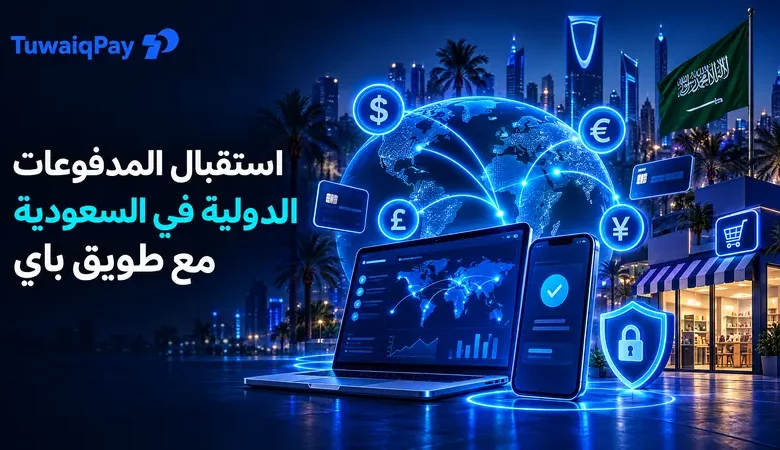
Receiving International Payments in Saudi Arabia with Tuwaiq Pay
Last updated: October 2026
Tuwaiq Pay lets you receive international payments from customers outside Saudi Arabia by card, through a payment link you send them in seconds, without asking them for a bank transfer or your account details. It suits freelancers, online stores and service providers who deal with customers from outside the Kingdom.
You can also visit the official Tuwaiq Pay website, contact us on WhatsApp, or download the app from Google Play or the App Store.
Key Takeaways
With Tuwaiq Pay, you create an invoice in the app and send the payment link to the customer, who pays with a Visa, Mastercard or American Express card issued outside Saudi Arabia, provided it is enabled for online payments. After a successful transaction, settlement takes place and your net funds are transferred to your bank account. Tuwaiq Pay is a payment gateway, not a bank transfer service.
How Does Tuwaiq Pay Let You Receive International Payments?
- Create an invoice in the Tuwaiq Pay app with the amount and the required details.
- Send the payment link to the customer by WhatsApp, text message or email. If the customer is in front of you, you can create a QR code linked to the invoice for them to scan and pay.
- The customer pays with a Visa, Mastercard or American Express card.
- Settlement takes place and your net funds are transferred to your bank account after the transaction succeeds.
For details on creating the link, see how to create a payment link in Saudi Arabia step by step, and to learn about the tool itself, read electronic payment links: the fastest way to collect payments.
An Important Condition for Successful International Payments
Tuwaiq Pay supports international cards (Visa, Mastercard and American Express) issued outside Saudi Arabia, provided they are enabled for online payments. We therefore recommend reminding your customer to confirm this with their bank before paying, which avoids most failed transactions.
Who Is Receiving International Payments Right For?
- Freelancers who are paid by foreign clients. The freelancer issues an invoice and sends the link instead of asking the client for a bank transfer, and freelance certificate holders can register according to the requirements for their type of business, with no commercial registration.
- Online stores selling to customers outside Saudi Arabia, by connecting the gateway to the store through the API, including Shopify, WooCommerce and WordPress.
- Travel agencies and service businesses that receive payments from customers living abroad; for more, see receiving payments for travel agencies.
The Difference Between Receiving International Payments and International Bank Transfers
Confusing the two is common, and it is the reason many transactions become complicated. An international bank transfer is a transaction between two bank accounts, while receiving international payments means the customer pays by card through a payment gateway.
| Aspect | International bank transfer | Receiving international payments through Tuwaiq Pay |
|---|---|---|
| What the customer needs | Your bank account details (such as IBAN and SWIFT) and to make the transfer from their bank | To open the payment link and pay by card |
| Payment confirmation | Usually by sending a receipt, then manual follow-up | You track the transaction status in the app once payment succeeds |
| Fees | May include the sending bank’s fees and an intermediary bank | Fees on successful transactions only, by card network, plus VAT |
| Best for | Large, one-off amounts | Recurring sales and services for customers outside the Kingdom |
When Should You Choose Each Option?
If you need to transfer a large, one-off amount between two accounts, a bank transfer is the best fit for that case. But if your business relies on recurring sales or services for customers abroad, receiving international card payments is usually simpler and faster, because it doesn’t require any banking details from the customer.
Because Tuwaiq Pay is a payment gateway, it is used to collect your customers’ card payments through payment links or integration with your website or app; it is not a way to send or receive account-to-account transfers.
How Do You Reduce Delays in Receiving Money from International Customers?
- Don’t wait for a transfer receipt: the customer pays directly through the link, and you track the transaction in the app.
- Send the link as soon as you agree with the customer, not days later.
- Remind the customer to enable their card for online payments.
- Know the settlement cycle: one to five days depending on the card network and transaction, usually around 24 hours for Visa and Mastercard transactions.
- Rely on automatic transfers: funds are transferred to your registered bank account without you having to request it manually.
Fees and Settlement
There are no setup fees, no monthly subscription and no hidden fees, and fees are charged only on successful transactions according to the card network and payment method, plus VAT. You can compare fees in a comparison of payment gateway fees in Saudi Arabia 2026. If your customer needs a refund, full or partial refunds are available depending on the transaction.
Security in International Payments
When a customer pays from another country, trust matters even more. Tuwaiq Pay follows card data protection standards (PCI DSS) and supports 3D Secure (an extra authentication step that reduces fraud), tokenization (replacing card data with a token) and webhooks for technical integration.
Practical Tips to Make Receiving International Payments Easier
- Write a clear description of the amount and the service on the invoice.
- Send the link through the channel the customer uses to contact you.
- Remind the customer to enable their card for online payments.
- Track the status of every transaction in the app rather than relying on receipts.
- Keep your international customers’ invoices in the app so you can track them in one place.
Frequently Asked Questions
Does Tuwaiq Pay let me receive international payments?
Yes. Tuwaiq Pay supports international cards (Visa, Mastercard and American Express) issued outside Saudi Arabia, provided they are enabled for online payments.
How do I receive a payment from a customer outside Saudi Arabia?
Create an invoice in the Tuwaiq Pay app and send the payment link to the customer by WhatsApp, text message or email; they pay by card and the amount is settled to your bank account.
What is the difference between receiving international payments and an international bank transfer?
A bank transfer is a transaction between two bank accounts that requires your account details, while receiving international payments means the customer pays by card through a payment gateway. Tuwaiq Pay provides the second.
When does the amount reach my bank account?
Settlement and transfer usually take one to five days depending on the card network and transaction, often around 24 hours for Visa and Mastercard transactions.
Do I need an online store?
No. You can create an invoice in the app and send the payment link to the customer, or create a QR code linked to the invoice.
Are there setup fees or a monthly subscription?
No. There are no setup fees, no monthly subscription and no hidden fees.
Can I refund the customer?
Yes, full or partial refunds are available depending on the transaction.
Does a freelancer need a commercial registration?
No. Freelance certificate holders can register according to the requirements for their type of business.
Start Receiving International Payments with Tuwaiq Pay
With Tuwaiq Pay, you send a link, your customer pays by card, and your funds reach your bank account, without the complications of bank transfers. You can also visit the official Tuwaiq Pay website, contact us on WhatsApp, or download the app from Google Play or the App Store.



