Turning Orders into Sales: 5 Steps for Merchants
دليل عملي للتجار لتحويل زيادة الطلبات إلى مبيعات مكتملة من خلال تجربة دفع أسرع وأوضح.
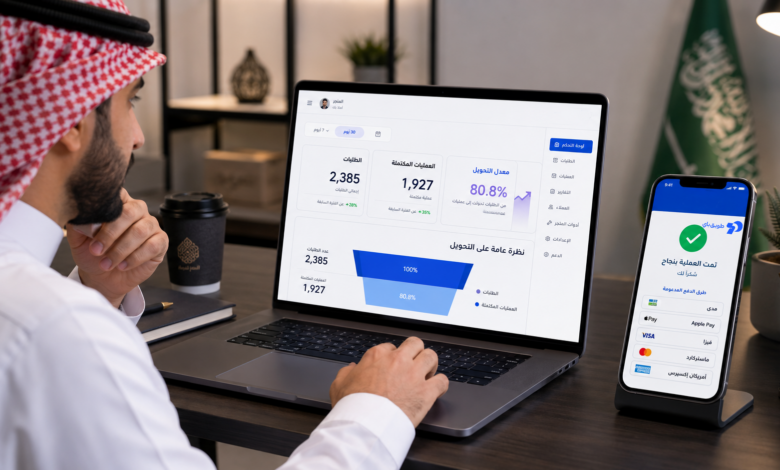
Turning orders into sales is the real challenge many merchants face, especially in seasons when customer interest and order volumes rise. An order only becomes an actual sale when payment is completed successfully.
A merchant may receive many messages, multiple inquiries, and orders that seem ready to go. But if payment is delayed, the customer needs too many steps, or can’t find a suitable payment method, the sale may be lost before it is completed.
Turning orders into sales doesn’t depend only on the number of messages; it depends on how easy it is to complete payment. That is why merchants need to focus on the entire customer journey, not just the number of orders.
What matters most is that the payment method is ready, clear and fast, so the customer can complete the order without delay.
In this article, we explain why more orders alone aren’t enough, and how ready payment methods help turn orders into completed sales.
Contents
- Why aren’t more orders enough?
- What is the difference between an order and a completed sale?
- Turning orders into sales starts with payment
- How does the payment method affect order completion?
- Payment links and their role in completing orders
- QR and Tap to Pay to speed up collection
- Multiple payment options to reduce lost customers
- A practical table for improving order completion
- 5 steps to help merchants turn orders into sales
- How does Tuwaiq Pay help merchants?
Why Aren’t More Orders Enough?
In busy seasons, a merchant may be pleased with the rise in messages and orders, but the real number to watch isn’t just how many orders arrive; it’s how many transactions are completed.
An order that isn’t paid remains a pending opportunity.
A customer waiting through many steps may back out.
And a manual transfer that needs follow-up can delay order confirmation.
That is why turning orders into sales requires a clear payment experience from the start. The fewer and easier the payment steps, the higher the chance of completing the transaction.
A successful merchant doesn’t only ask: How many orders did I get?
They ask: How many orders were completed? And how many payments went through successfully?
What Is the Difference Between an Order and a Completed Sale?
An order is the start of a customer’s interest. A completed sale is the result the merchant is waiting for.
A customer may send a message and request a product.
They may ask about the price or delivery.
They may confirm they want to buy.
But none of that turns into a real sale until payment is completed or collection is confirmed.
If the payment method is slow or unsuitable, the merchant may lose a customer who was ready to buy. This is the difference between a business that receives many orders without organization and one that has a clear way to turn an order into a completed transaction.
Turning Orders into Sales Starts with Payment
The clearer and faster the payment method, the more likely the order is completed the first time. That is why merchants need payment methods that help reduce delays and turn orders into completed sales.
Payment isn’t a side step in the customer journey. It is a decisive point that can complete a sale or stop it.
When the payment method is ready, the customer feels the order is clear, the next step is easy, and the transaction can be completed without a long wait.
But if the customer faces too many steps, they may postpone payment or abandon the order entirely.
How Does the Payment Method Affect Order Completion?
When the payment method is ready:
- The customer waits less.
- The merchant does less manual follow-up.
- Order confirmation is faster.
- The customer experience improves.
- The chance of abandoned orders drops.
- Order organization becomes clearer.
- The chance of completing the transaction the first time increases.
If payment relies only on manual transfers, the merchant may need to send account details, wait for a screenshot of the transfer, review the transaction, and then confirm the order.
These steps take time and increase the chance of losing the customer.
That is why preparing payment methods directly helps in turning orders into sales.
Payment Links: From a Pending Order to a Completed Transaction
Payment links are one of the most practical solutions for merchants who receive orders via WhatsApp, Instagram, Snapchat, phone or direct messages.
Instead of the order staying pending until the customer sends a manual transfer, the merchant can send a direct payment link. The customer opens the link, chooses a suitable payment method, and pays easily.
Preparing payment links helps merchants turn orders into sales instead of leaving them as pending orders.
This simple step can save a lot of time during seasons, especially when the merchant has many customers and orders.
When are payment links important?
Payment links are very suitable for:
- Orders via WhatsApp.
- Orders from social media.
- Collecting deposits.
- Seasonal products.
- Quick orders.
- Delivery services.
- Services that require advance payment.
- Orders for freelancers and service providers.
A payment link moves the customer quickly from interest to payment, which helps the merchant reduce pending orders.
QR to Reduce Crowding and Speed Up Payment
If the merchant has a shop, pickup point, kiosk or direct sales, QR helps speed up payment on site.
Instead of waiting through long steps, the customer can scan the QR code with their phone, open the payment page and complete the transaction clearly.
QR is very suitable for businesses that serve customers in person, because it reduces crowding and makes payment faster.
QR uses for merchants
QR can be used in:
- Retail shops.
- Restaurants and cafés.
- Pickup points.
- Events.
- Temporary kiosks.
- Service offices.
- With delivery drivers.
The faster payment is on site, the more customers the merchant can serve in less time.
Tap to Pay to Accept Payments on Your Phone
Tap to Pay helps merchants accept payments through their phone, without needing an extra payment terminal in some cases.
This service is important for businesses that rely on mobility or selling outside the shop, such as delivery, field sales, events or temporary points of sale.
Having Tap to Pay helps merchants complete the transaction on the spot, instead of postponing payment or waiting for another method.
Who needs Tap to Pay?
Tap to Pay suits:
- Field sellers.
- Delivery drivers.
- Kiosk owners.
- Service providers.
- Merchants at events.
- Mobile points of sale.
- Small businesses.
In busy seasons, fast collection at the customer’s location can be the direct reason an order is completed instead of lost.
Multiple Payment Options Reduce Lost Customers
Not every customer pays the same way. Offering more than one payment option helps merchants reduce the chance of a customer stopping at the payment step.
Some customers prefer mada.
Some use Apple Pay.
Others rely on Visa, Mastercard or American Express.
With Tuwaiq Pay, merchants can offer multiple payment options including mada, Apple Pay, Visa, Mastercard and American Express.
This flexibility helps in turning orders into sales, because the customer finds the payment method that suits them without having to change their preferred way of paying.
Merchants can learn more about the national payment network on the mada website.
A Practical Table for Turning Orders into Sales
The following table shows how each payment method helps turn orders into sales faster.
| Challenge | Suitable solution | Expected result |
|---|---|---|
| Customer orders via WhatsApp but doesn’t pay immediately | Send a direct payment link | Fewer pending orders |
| Crowding in the shop or at the pickup point | Use QR | Faster payment and less waiting |
| Selling outside the shop or during delivery | Tap to Pay | Payment completed at the customer’s location |
| Customers prefer different payment methods | Multiple payment options | Fewer lost customers |
| Difficulty tracking manual transfers | Organized digital payment solutions | Greater clarity in transactions |
| More orders during the season | Prepare payment in advance | More orders turned into sales |
5 Steps to Help Merchants Turn Orders into Sales
1. Review where the customer journey breaks down
Start with a simple question: Where does the customer stop before paying?
Do they delay when asked for account details?
Do they forget to send proof of transfer?
Do they ask for another payment method?
Do they abandon the order because of too many steps?
Knowing where the journey breaks down helps the merchant choose the right solution.
2. Prepare a payment link for every quick order
If customers order via WhatsApp or social media, don’t leave them waiting. Prepare a fast way to send the payment link as soon as the order is confirmed.
The faster the payment link arrives, the higher the chance of completing the transaction.
3. Offer QR in the shop or at pickup
If you have direct sales or on-site pickup, QR helps reduce payment time.
Place the QR in a visible spot and train your team to guide customers to use it easily.
4. Use Tap to Pay for field sales
If your business relies on delivery or selling outside the shop, Tap to Pay gives you more flexibility.
Instead of postponing payment or relying on a later transfer, the transaction can be completed on the spot.
5. Show payment methods before the customer asks
Don’t wait for the customer to ask: How do I pay?
State clearly on your accounts and product pages that payment is available through multiple methods such as mada, Apple Pay, Visa, Mastercard and American Express.
Showing payment methods before the order reduces hesitation and helps the customer decide quickly.
How Does Tuwaiq Pay Help Merchants?
With Tuwaiq Pay, turning orders into sales becomes easier through payment links, QR and Tap to Pay.
Tuwaiq Pay helps merchants make payment an easier part of the customer journey, with solutions suited to more than one sales channel.
Whether the merchant receives orders via WhatsApp, sells through an online store, serves customers in a shop, or needs field collection, digital payment solutions can help organize collection and complete transactions faster.
Through Tuwaiq Pay, merchants can benefit from:
- Payment links.
- QR.
- Tap to Pay.
- Online store integration.
- Multiple payment options.
- Support for mada, Apple Pay, Visa, Mastercard and American Express.
- Clearer tracking of transactions.
You can learn more about Tuwaiq Pay’s solutions on the official website.
Quick Checklist for Merchants
Before the season or as orders increase, make sure of the following:
| Question | Status |
|---|---|
| Do you have a payment link ready for quick orders? | Yes / No |
| Can customers pay without a manual transfer? | Yes / No |
| Is QR available in the shop or at the pickup point? | Yes / No |
| Does your team know how to send a payment link? | Yes / No |
| Do you support more than one payment method? | Yes / No |
| Can customers pay with mada, Apple Pay, Visa, Mastercard and American Express? | Yes / No |
| Do you know the number of completed orders, not just the number of messages? | Yes / No |
Conclusion
The clearer the payment experience, the greater the chance of turning orders into completed sales.
More orders are a good sign, but they aren’t enough on their own. The real value appears when the merchant can turn these orders into completed transactions quickly and clearly.
When the payment method is ready, manual follow-up drops, order organization improves, and the customer experience becomes smoother.
That is why turning orders into sales starts with preparing a suitable payment method for every sales channel, whether through payment links, QR, Tap to Pay or multiple payment options.
With Tuwaiq Pay, don’t let orders stop at the interest stage. Help your customers complete payment easily and turn orders into completed sales.



