Payment Sandbox: How to Test Payments Before Launch with Tuwaiq Pay
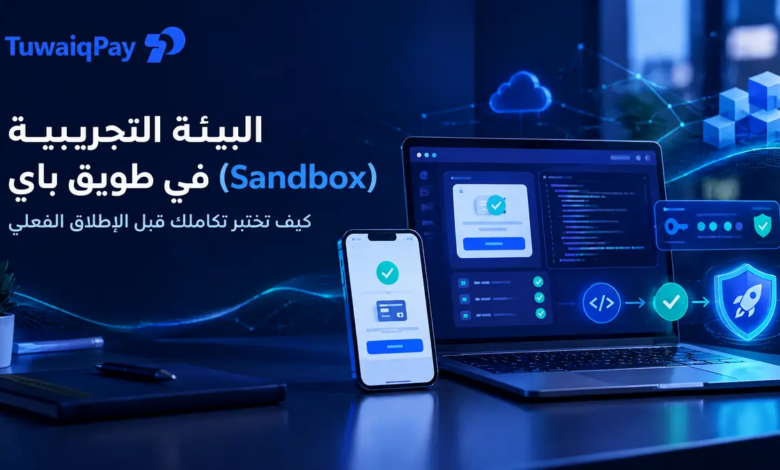
A payment sandbox is an environment separate from live operations where you can try the entire payment process, from sending the request to receiving the result, without moving any real money. Tuwaiq Pay provides an official sandbox for development teams, so they can test their integration safely before receiving the first transaction from a real customer.
You can also visit the official Tuwaiq Pay website, contact us on WhatsApp, or download the app from Google Play or the App Store.
Key Takeaways
- What is it? A safe environment to try payments without real money.
- Who is it for? Development teams connecting a store or app through the API.
- How do you start? Contact the Tuwaiq Pay team to request access, then test, then move to live operations.
- What do you test? Success and failure cases, webhook notifications, and order status updates.
- Is it necessary? Yes, because it reveals errors before your customers see them.
What Is a Payment Sandbox?
A payment sandbox is a test version of the payment system that behaves like live operations in its requests and responses, but doesn’t handle real money. Your team can build the integration, try different scenarios and fix errors with no financial risk.
This environment is part of Tuwaiq Pay’s developer interface, alongside the REST API, webhooks and access keys. To understand the full picture of the integration, see the guide to payment gateway API integration with Tuwaiq Pay.
Why Do You Need a Payment Sandbox Before Launch?
Payment is the moment a visitor becomes a buyer, and any error there means a lost sale. A payment sandbox protects you from four problems:
- Payments breaking on launch day, because you discover the problem before customers arrive.
- Hidden coding errors in sending the request or handling the response.
- Order status not updating after a successful payment.
- Team anxiety about handling real money before confirming the system works properly.
The Difference Between the Sandbox and Live Operations
| Element | Sandbox | Live operations |
|---|---|---|
| Goal | Testing the integration and scenarios | Receiving real payments |
| Money | No real money | Real money |
| Timing | Before launch | After tests succeed |
| Users | The technical team | Real customers |
| Impact of errors | Doesn’t affect customers | May affect sales |
Steps to Use the Payment Sandbox with Tuwaiq Pay
Step one: request access
Contact the Tuwaiq Pay team to get your API keys. You can start by reaching out via WhatsApp.
Step two: build and test in the sandbox
Run test payments through the interface, review the responses, and make sure your system handles them as it should. It helps to work from a written test checklist rather than improvising.
Step three: review webhook notifications
The result of every transaction reaches your server through webhooks. Make sure your system receives the notification, verifies it, updates the order status, and doesn’t repeat the action if the notification arrives twice.
Step four: move to live operations
Once testing is complete, move to the live environment and start processing real payments. Before the first real transaction, make sure your system settings are no longer in test mode; this is one of the most common launch mistakes.
What Should You Test in the Payment Sandbox?
| What you test | What you confirm |
|---|---|
| A successful payment | The order status updates and a confirmation is sent to the customer |
| A failed or declined payment | A clear message for the customer and the option to try again |
| A webhook notification | It arrives, is valid, and the order is updated accordingly |
| A duplicate notification | No repeated action, charge or activation |
| Amounts and currency | The correct amount appears on the order and invoice |
| Post-payment pages | Success, failure and cancellation all display correctly |
| Refunds | How the process runs in your system for full or partial refunds |
Common Mistakes When Testing Payments
- Testing only the success case. Then the problem appears with the first declined transaction.
- Neglecting webhooks. Orders stay “pending” even though payment succeeded.
- Ignoring post-payment pages. The customer sees a vague message after paying.
- Relying on a single path. Try more than one scenario, and every payment method you enable.
- Forgetting test keys in production. This is the costliest mistake, so check them before launch.
Checklist Before Moving to Live Operations
- A complete payment succeeded and the order updated automatically.
- A payment failed and an appropriate message appeared for the customer.
- A webhook notification arrived and was verified.
- Duplicate notifications were handled.
- Keys are not exposed in the front end or in a public repository.
- Test settings have been replaced with live settings.
Who Is a Payment Sandbox For?
- Store and app developers building an API integration.
- Product and platform (SaaS) teams with their own order system.
- Store owners who want to make sure payments work before their marketing campaigns.
If you don’t need a technical integration, Tuwaiq Pay’s payment links and QR codes don’t require a developer, and you can start using them right away.
What Sets Tuwaiq Pay Apart for Developers?
- A clear REST interface with documentation for every endpoint.
- A sandbox for testing before going live.
- Webhooks for instant notifications.
- API keys you fully control.
- Technical support for developers during development.
- PCI DSS compliance, with support for tokenization and 3D Secure.
- No setup fees, no monthly subscription and no hidden fees.
After launch, your customers pay with Apple Pay, mada, Mastercard, Visa and American Express.
Frequently Asked Questions
What is a payment sandbox?
It is an environment separate from live operations where you try the entire payment process without real money.
Does Tuwaiq Pay provide a sandbox?
Yes, an official sandbox is available for developers before moving to live operations.
How do I get test keys?
Contact the Tuwaiq Pay team to request access to the API keys and documentation.
Do I need a developer to use the sandbox?
Yes, since API integration requires technical work. Payment links and QR codes, however, don’t need a developer.
Does real money move during testing?
No, the sandbox doesn’t handle real money.
Should I test failed payments too?
Yes. Testing failure and decline cases reveals errors that don’t show up in the success case.
Should I test webhooks?
Yes. They are what tell your system the payment result, and any problem with them leaves orders without updates.
Is technical support available during testing?
Yes, a technical team is available to help developers during development.
Start Testing Payments with Tuwaiq Pay
If your store or app is about to launch, request access keys, test every scenario in the payment sandbox, then move to live operations with confidence. You can also visit the official Tuwaiq Pay website, contact us on WhatsApp, or download the app from Google Play or the App Store.



